How to Track Vacation Time in Your Team (4 Ways, From Best to Worst)
The four ways teams actually track vacation time in 2026 — dedicated software, spreadsheets, email and chat, paper — ranked from best to worst, with the real cost of each and clear signs it's time to move up.
Short answer: the best way to track vacation time in 2026 is dedicated leave tracking software — requests from a phone, one-click approvals, a shared wall chart and balances that maintain themselves, from about €1.30 per user per month. A well-built spreadsheet is a fine free start for a team under ten; email threads and paper forms only look free until you count the hours and the mistakes.
Every company tracks vacation time somehow. The question is never whether — it's how much the chosen method quietly costs in admin hours, booking errors, double-staffed Augusts and awkward "how many days do I have left?" conversations. Whoever answers that question is doing the tracking, whatever the official system is.
There are four ways teams actually do it: dedicated software, a spreadsheet, email and chat threads, or paper. Most guides walk you up the ladder from worst to best; we'll go the other way — start with what works, and keep reading only if you need to know why the alternatives don't.
The four methods at a glance
| Method | Sticker price | Real cost | Works until… |
|---|---|---|---|
| Leave tracking software | ~€1.30/user/month | That's it | — (it scales) |
| Spreadsheet | Free | Someone's Friday afternoons | ~10 people |
| Email & chat | Free | Lost requests, no visibility | ~5 people |
| Paper | Free | Everything, eventually | The first remote hire |
1. Leave tracking software — the best way to track vacation time
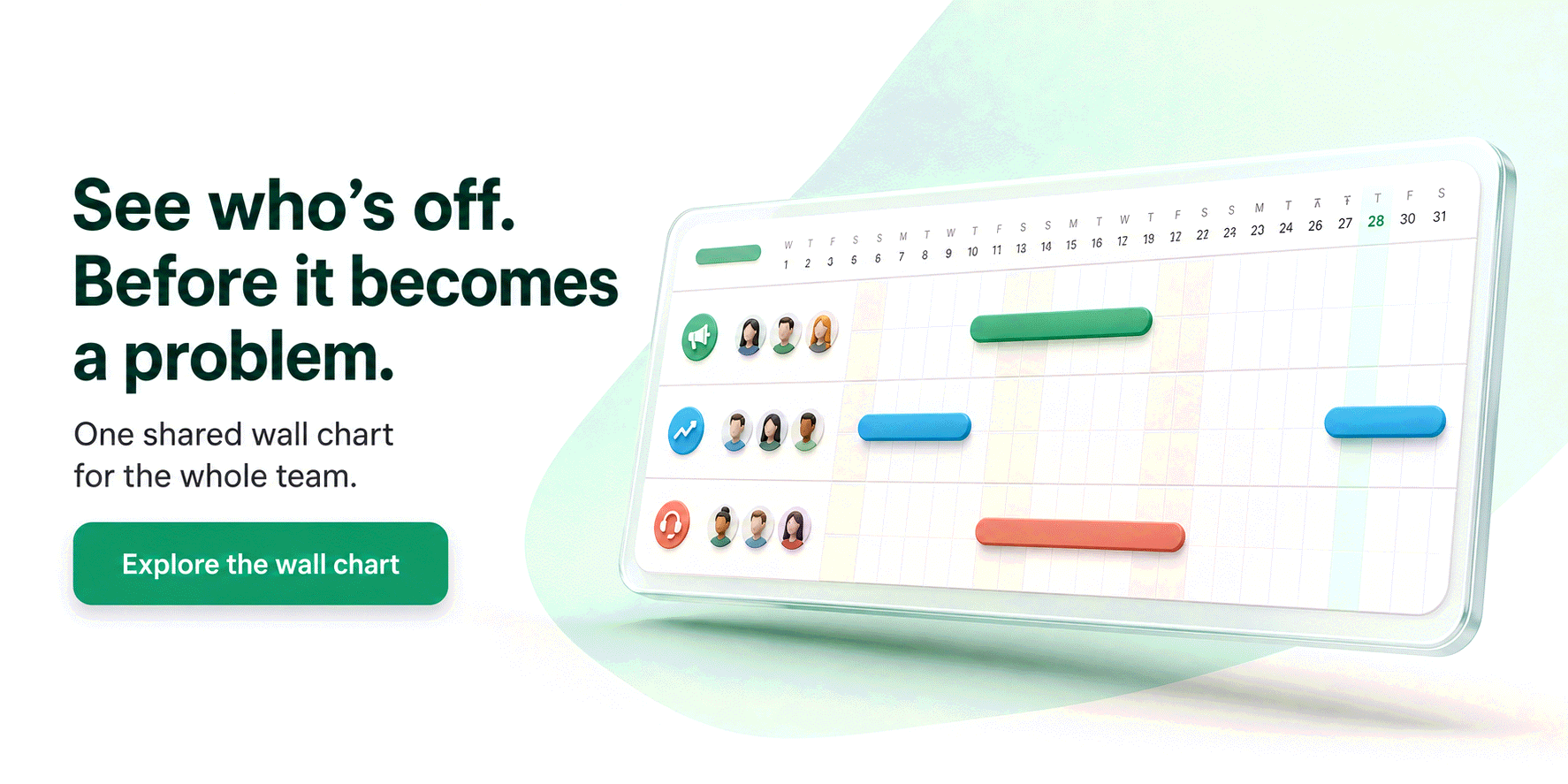
A dedicated leave tracker automates the entire loop that every other method makes a human run. In Bueggio HR it looks like this: an employee books time off from their phone, the right approver gets one notification and decides with one click — from the email itself, from Slack or Microsoft Teams, no login needed — and the shared wall chart, the person's balance and everyone's calendars update by themselves. Nobody transcribes anything, ever.
What you're really buying, compared to the three methods below:
- One source of truth. The wall chart answers "who's off this week?" at a glance, and every balance is computed — public holidays for 45+ countries included, plus country rules where leave is genuinely hard (Italian ROL hours, French RTT and jours ouvrés counting, Spanish convenio extras).
- An approval flow with a memory. Requests can't get buried, and the audit trail remembers who approved what, when, and why something was declined.
- Privacy by design. Teammates see that someone is away; the type and the details stay with the people who need them. EU-hosted and GDPR-first, with export and erasure built in — a shared spreadsheet can't make that promise.
- No adoption battle. Booking takes less time than writing the Slack message it replaces.
The one honest con: it isn't free. Bueggio HR is €1.30 per user per month — one plan, everything included, first month free with no card — so a ten-person team pays about the price of one coffee a month. If you want to shop around first, we ranked the six best leave tracking apps of 2026, competitors included.
2. A spreadsheet — the best free way, while the team is small
The classic for a reason: a Google Sheets or Excel grid with one row per person and one column per day is free, everyone already knows how to use it, and it bends to any rule your company invents. Done properly — letter codes instead of colored cells, conditional formatting, COUNTIF formulas — it even computes balances by itself. That's exactly how our free PTO tracker template for Google Sheets is built, and copying it takes one click.
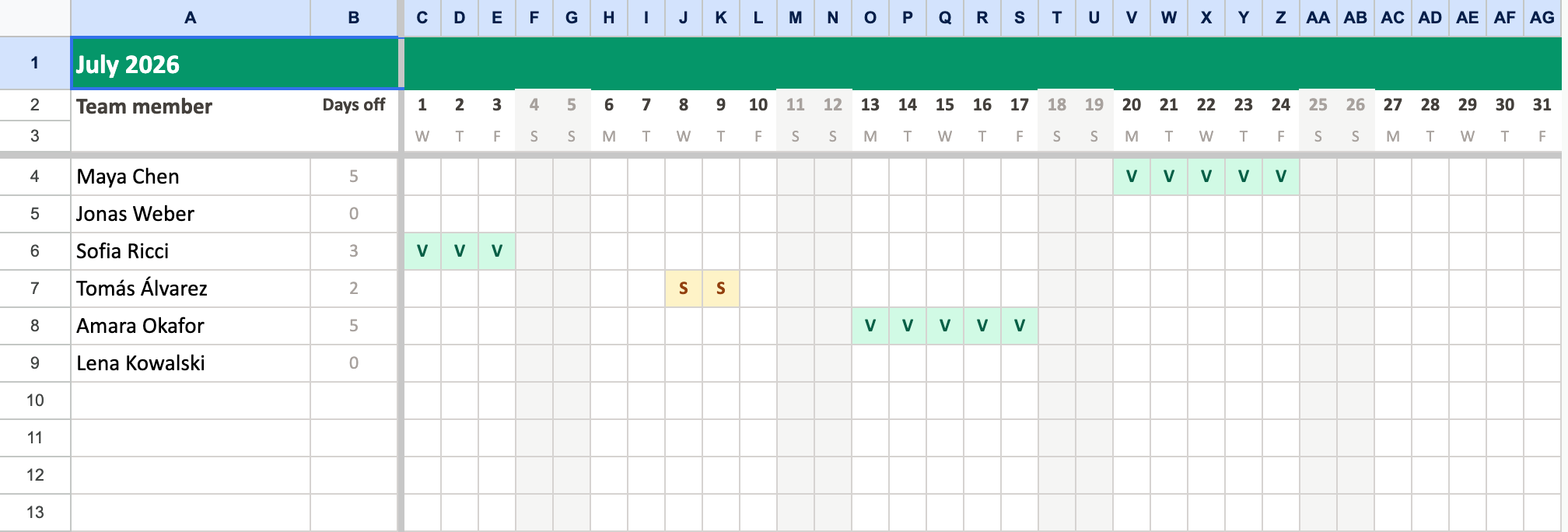
The limits are just as real, and they grow with headcount:
- Every request is manual work for someone. The sheet doesn't receive requests or ask a manager — a human turns every message into colored cells. Fine at 5 people, a real job at 25.
- Errors are silent. A code on the wrong row or a formula range one column short surfaces weeks later, usually as a balance dispute.
- Everyone sees everything. One shared sheet shows the whole company who was sick and when — under the GDPR, sickness records are special-category data that deserve better than everyone-with-the-link visibility.
Our advice is unromantic: if you're under ten people and watching every euro, start here — with a template that does the math — and upgrade the day maintaining it becomes someone's job.
3. Email and chat — a request channel pretending to be a system
"Just email me your dates" is how many teams start, and it has genuine virtues: it's free, it works across time zones, and every request leaves a written trace. For a founder with four employees, it can hold for a while.
But email and Slack are where requests arrive, not where they can live:
- Requests get buried. A vacation ask sits in a thread between a customer complaint and a lunch plan. Some get approved and forgotten; some never get answered at all.
- There is no overview. Nobody can see the team's absences in one place, so two people book the same week and the conflict surfaces on the Monday they're both gone.
- Balances live in nobody's head. "How many days do I have left?" triggers an archaeology dig through last year's threads.
The irony is that chat is a great interface for leave — it just needs a system behind it. That's why Bueggio HR lets people book with a /bueggio command and managers approve with a button inside Slack or Teams, while the wall chart and the balances keep the actual record. Keep the channel; add the memory.
4. Paper — the method that outlived its century
Paper request forms, a printed wall planner, a signature from the boss: simple, cheap, and requiring no technology whatsoever. In a single-site business where everyone shares a corridor, it can limp along.
It's last on this list because it fails at everything a tracking system is for. Forms get lost — and with them, the only copy of the record. There's no backup, no balance math, no way to check anything from home, and no privacy at all: the wall planner shows everyone's absences, sick days included, to anyone who walks past. The first remote hire, the first August dispute about remaining days, or the first coffee spilled on the binder usually ends the experiment. If your leave records currently live on paper, any of the three methods above is an upgrade — and the first one is cheaper than the printing.
What poor tracking actually costs
The method you pick isn't just an admin preference — it shows up in the business. Weak tracking means scheduling surprises (nobody saw the overlap coming), balance disputes (the sheet and the employee remember different numbers), and quiet unfairness (requests approved in chat for some, forgotten for others). It also means people take less vacation: in the US, studies consistently find that around half of employees don't use all their paid time off, and opaque balances are part of why. A tracker that shows everyone their remaining days — and makes booking them a ten-second job — is the cheapest wellbeing initiative you'll ever run.
Frequently asked questions
What is the best way to track vacation time?
Dedicated leave tracking software. An employee requests time off from their phone, the approver decides with one click — from the email itself, Slack or Microsoft Teams — and the shared wall chart, the balances and everyone's calendars update on their own. Tools like Bueggio HR cost about €1.30 per user per month, which is less than the admin time any manual method burns.
How do small businesses keep track of employee vacation?
Most start with a spreadsheet, and up to roughly ten people that works: a grid with one row per person, letter codes for each leave type, and COUNTIF formulas that compute balances automatically. The hidden costs — manual entry for every request, silent errors, zero privacy around sick days — grow with headcount, which is when teams move to a dedicated tracker.
Can I track vacation time for free?
Yes: a well-built spreadsheet is free at any size, and our free Google Sheets template ships with automatic colors, holiday shading and self-computing balances. What's never free is the time someone spends maintaining it — which is why paid trackers, starting at about €1.30 per user per month, usually pay for themselves in saved admin hours.
Is it OK to track vacation requests over email or Slack?
As a request channel, yes — as the system of record, no. Messages get buried, nobody can see the team's absences in one place, and balances live in nobody's head. The fix isn't banning chat: good leave trackers let people book and approve from Slack or Teams while the tool keeps the record.
Why should vacation records not be public to the whole team?
Because absence data is more sensitive than it looks. Sick leave — and any note attached to it — can reveal health information, which is special-category data under the GDPR. A shared spreadsheet or a printed wall planner shows everything to everyone; proper software shows teammates that someone is away, and reserves the type and the details for the people who need them.
The bottom line
Track vacation time with a tool shaped like the problem. If you're under ten people and the budget is zero, copy the free spreadsheet template and use it well. Everyone else: try Bueggio HR free for a month — request → approve → wall chart, €1.30 per user after that — and let the spreadsheet, the threads and the binder retire together.