Organization security: 2FA, visibility and the sign-in log
Make two-factor authentication mandatory, choose who sees the whole wall chart and keep a sign-in log with retention you control.
Settings → Security holds the organization-wide protections: mandatory two-factor authentication, who gets to see the whole wall chart, and a sign-in log with retention you control. (Personal security — your own password, sessions and 2FA — lives in each person's profile.)
Require two-factor authentication
One toggle makes 2FA mandatory for everyone: from then on, people without it are walled off from the app until they enroll — a guided QR-code setup with any authenticator app, right at their next sign-in. People who already had 2FA notice nothing.
Locked out? When someone loses their phone, an admin opens their person modal in Settings → Team and clicks Reset two-factor: their next sign-in asks them to enroll again with the new device.
Wall chart visibility
By default everyone sees the whole company's wall chart. If absences are more sensitive in your organization, restrict it:
- Everyone — the default: full transparency.
- Approvers — employees see only their own department; managers and admins see everything.
- Admins — only admins see everything; everyone else sees their own department (managers also keep the departments they approve).
Need exceptions? A person can be granted extra departments to see, from their person modal — useful for cross-team coordinators.
The sign-in log
Every sign-in in the organization is recorded: who, when, from which browser and network, and how — password, Google, Microsoft, invitation. It's the page to check when something looks off, and a quiet comfort the rest of the time.
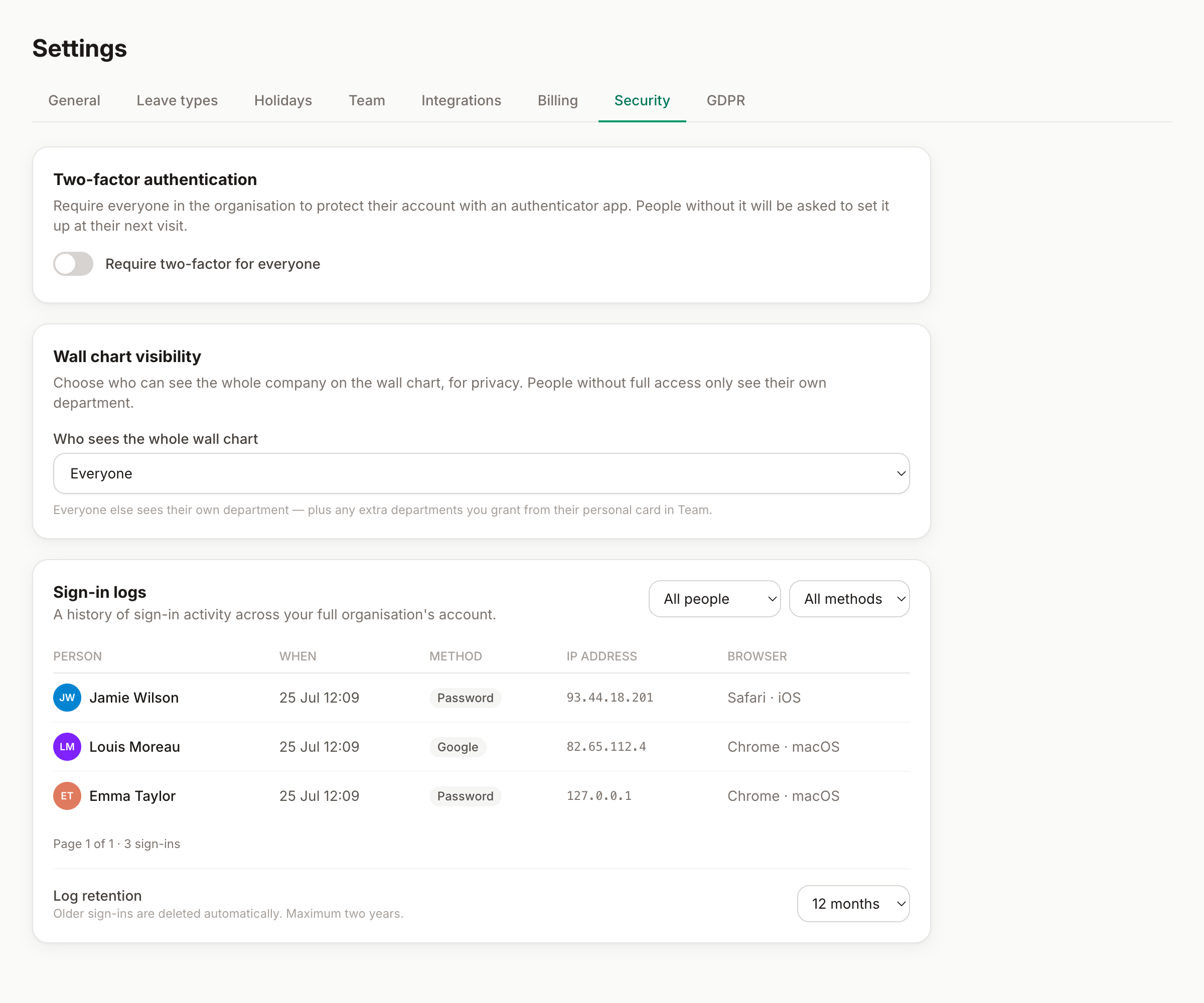
You choose the retention: how many months of sign-in history to keep (up to two years). Entries older than that are deleted automatically — data minimization by default, in line with the GDPR-first approach.
Good to know
- 2FA applies to every way in: password sign-ins and Google/Microsoft SSO alike.
- Wall-chart visibility also filters the home dashboard's "who's off" and the reports — it's one policy, applied consistently.
- For data protection tooling (exports, erasure), see Settings → GDPR and the people guide.