Invite and manage people
Invite by email or CSV, set roles, allowances with pro-rata start dates and per-type counters — and handle departures the right way.
Settings → Team is where people enter, get configured and — eventually — leave. Everything about a person is in one modal: role, department, allowance, start date, holiday country, language.
Invite people
One at a time
Click Invite someone: name, email, role, department, allowance and start date. They receive an email with a link to set their password and land straight in your organization. Until they accept, they show an Invited badge — open their modal to copy the invitation link (hand it over on Slack if the email got lost) or resend it. Invitation links are single-use.
The whole team from a CSV
The Import from CSV box takes a file with one row per person — download the sample to start. Columns: email (required), first_name, last_name, role (employee/manager/admin), department (created if new), annual_allowance, start_date (YYYY-MM-DD), country, locale. Every valid row gets an invitation email; problems are reported row by row.
The three roles
| Role | Can do |
|---|---|
| Employee | Books leave, sees the wall chart and their own allowance |
| Manager | Everything above + approves requests for departments they're the approver of, and can lock dates there |
| Admin | Everything + all settings, all approvals, billing and GDPR tools |
Edit a person
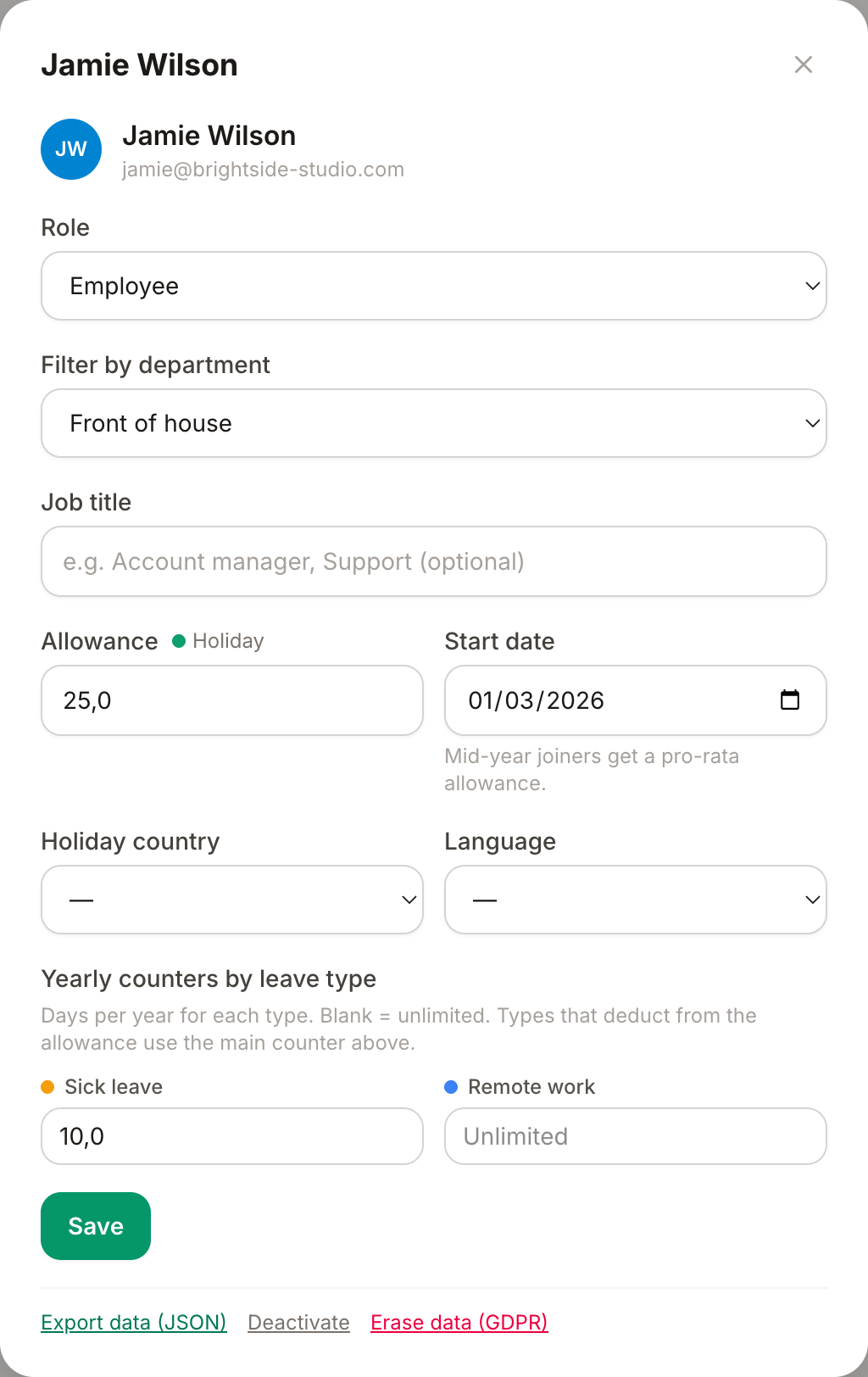
Click Edit on anyone in the People table:
- Role, department, job title.
- Allowance — their annual days for allowance-deducting types, in half-day steps.
- Start date — mid-year joiners automatically get a pro-rata allowance in their first year: someone starting July 1st with 24 days gets ~12. Leave it empty for no proration.
- Per-type counters — for types that don't deduct from the allowance (sick days, remote…), set an optional yearly cap per person; blank means unlimited.
- Holiday country — this person follows another country's public holidays (see the holidays guide).
- Language — the app and every email to them, in English, Italian, French or Spanish.
When someone leaves
Two different tools at the bottom of the person modal, for two different needs:
- Deactivate — the everyday action. They can't sign in anymore and disappear from the wall chart and approval queues, but their history stays intact for reports and audit.
- Erase (GDPR) — the right-to-erasure tool: identity, notes and sessions are irreversibly anonymized; only anonymous leave statistics remain. Use it on request, after any legal retention needs are met.
Also there: Export data (that person's data as JSON, for access/portability requests) and Reset two-factor (when someone loses their phone — see the security guide).