Get notified with webhooks
Signed, retried event notifications (Standard Webhooks) for bookings, decisions and people changes — with a delivery log.
Webhooks notify your systems the moment something happens in Bueggio HR — no polling. Every delivery is signed following the Standard Webhooks specification, retried automatically on failure, and recorded in a delivery log you can inspect.
The events
| Event | Fires when |
|---|---|
leave_request.created |
Someone books time off (pending or auto-approved) |
leave_request.approved |
A request is approved |
leave_request.declined |
A request is declined |
leave_request.cancelled |
A booking is cancelled |
user.created |
A person joins the organization |
user.deactivated |
A person is deactivated |
Add an endpoint
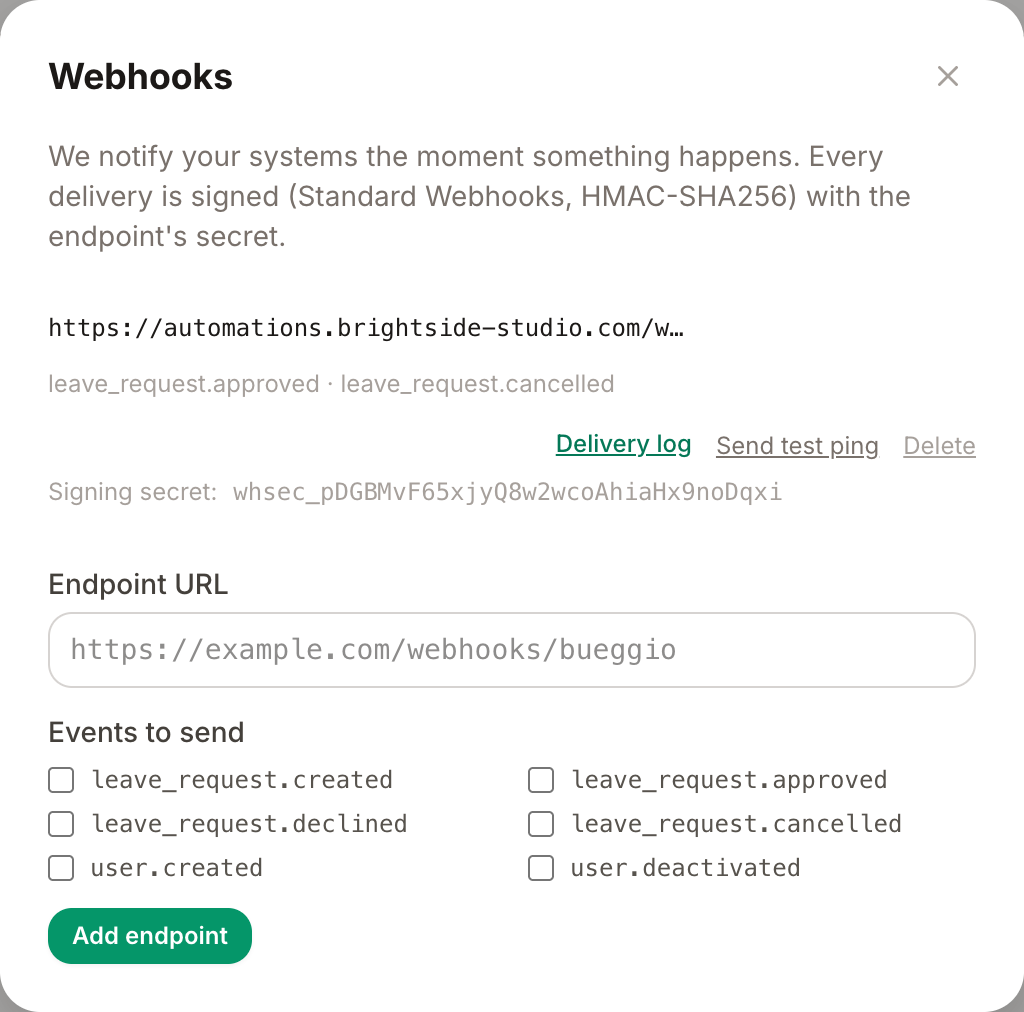
- Go to Settings → Integrations → Webhooks.
- Enter your HTTPS endpoint URL and tick the events you want to receive.
- Click Add endpoint. Bueggio HR generates a signing secret (
whsec_…) — copy it into your receiver so it can verify signatures. - Click Send test ping and check the delivery log: a green 2xx means you're wired up.
Verify the signature
Each delivery is a JSON POST with three headers:
-
webhook-id— unique message id (also your deduplication key). -
webhook-timestamp— Unix seconds; reject stale timestamps to prevent replays. -
webhook-signature—v1,<base64>: an HMAC-SHA256 ofid.timestamp.bodywith your secret.
Because this is the Standard Webhooks scheme, you don't have to implement it by hand — the official libraries (JavaScript, Python, Ruby, Go, PHP…) verify it in one call. Respond with any 2xx status once you've accepted the message.
Retries and the delivery log
If your endpoint is down or answers with an error, the delivery is retried up to 5 times with increasing backoff, then marked failed. The Delivery log next to each endpoint shows every attempt with its response code — the first place to look when something doesn't arrive.
Registering endpoints from code
Endpoints can also be created and removed through the API (POST /api/v1/webhooks) — useful for tools that self-register their trigger URLs, like n8n.
Troubleshooting
- Nothing arrives — check the delivery log first: if there are no rows, the event isn't subscribed; if rows are red, your endpoint is refusing or unreachable.
-
Signature verification fails — make sure you verify against the raw request body (before any JSON parsing) and use the secret without alterations, including the
whsec_prefix handling your library expects. -
Duplicate events — retries can deliver a message more than once; deduplicate on
webhook-id.
Can't find what you're looking for?
Write to us: a human replies within 48 hours.
Contact us