Payroll export
Send each month's approved absences to whoever runs your payroll: CSV or PDF, with payroll codes, half days and certificate numbers.
At the end of every month, someone turns your team's absences into payslips: a payroll consultant, an accountant, or whoever runs payroll in-house. The payroll export gives them exactly what they need without giving them access to Bueggio HR: every approved absence in a chosen month, as a table on screen, a CSV or a PDF.
Where to find it
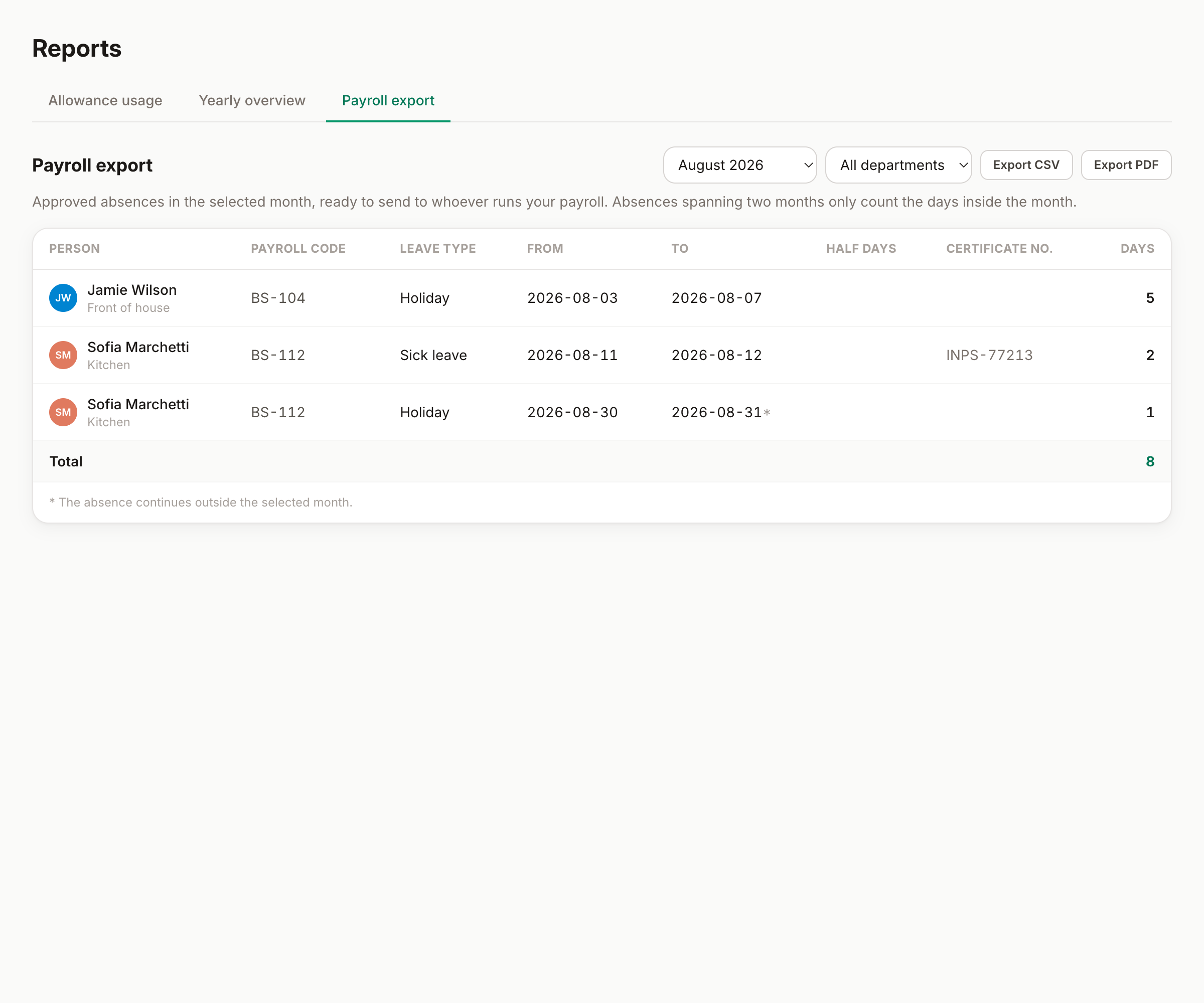
Go to Reports → Payroll export (admins only). Pick the month (the previous month is preselected, since that's the one you're closing) and, if useful, a single department. Then download the CSV for payroll software and spreadsheets, or the PDF to email and archive.
What each row contains
- Person and payroll code: the code comes from the Contact tab of the person modal. Fill the codes in once and whoever runs payroll can match rows to payslips automatically.
- Leave type and dates, exactly as approved.
- Half days, spelled out ("Starts in the afternoon").
- Certificate number, for types that require one (for example the INPS protocol number on Italian sick leave).
- Days: the working days deducted in the month, computed by the same engine that counts allowances, so personal working weeks, public holidays and country rules are all respected.
How months are counted
An absence spanning two months appears in both exports, but each one counts only the days inside its own month, so nothing is ever counted twice. Dates clipped to the month are marked with an asterisk. Weekends and public holidays never count, and pending or declined requests never appear: the export records what was actually approved.
What stays out
Request notes and decline reasons are never included: they can contain personal context payroll doesn't need. The export carries the administrative facts only: who, which type, which dates, how many days.
Can't find what you're looking for?
Write to us: a human replies within 48 hours.
Contact us