Choose your notifications
Email, push, Slack, digests and the out-of-office reminder — one page of toggles, all yours.
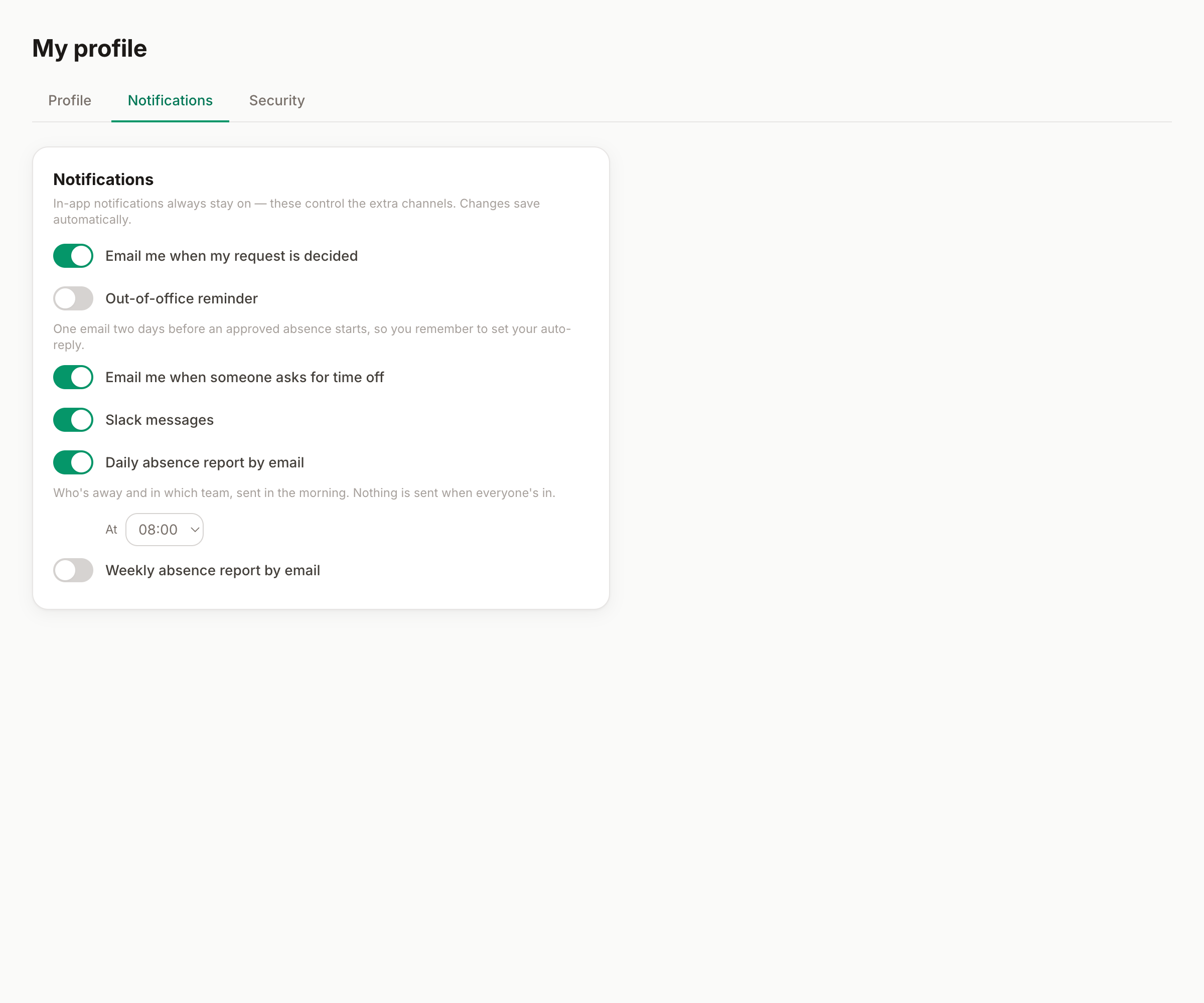
Bueggio HR can reach you by email, push, Slack — or barely at all. My profile → Notifications is one page of toggles, and every one of them is yours: what your colleagues choose doesn't affect you.
- Decisions on my requests — an email the moment your request is approved or declined (with the reason). On by default; the in-app bell rings regardless.
- New requests to approve — approvers only: one email per incoming request, with one-click Approve/Decline buttons that work without logging in.
- Out-of-office reminder — opt-in: an email at 9:00 two days before an approved absence starts. Set the auto-responder, hand things over, leave in peace.
Digests, instead of drip
If you approve requests or run the org, you can trade one-email-per-event for an overview:
- Daily digest — who's off today, at the hour you pick.
- Weekly digest — the week ahead, on the day and hour you pick.
Digests are silent when nobody is away — no empty emails.
Push, on your phone
With the app installed, tap Enable on this device: approvers get a notification per new request, everyone gets their decisions, instantly. Per-device, revocable from the same button. (On iPhone it requires the installed app, iOS 16.4+.)
Slack
When your organization has the Slack integration and your account is linked, a Slack toggle appears here — DMs about your requests, independent of email.
What you can't turn off
Almost nothing is forced: the in-app bell always collects your notifications (with the unread badge), and security emails — password resets, email changes — always arrive. Everything else is a choice.
Can't find what you're looking for?
Write to us: a human replies within 48 hours.
Contact us