My calendar: your year at a glance
Twelve months of your absences and holidays, upcoming and past bookings, and the door to syncing it all to your calendar app.
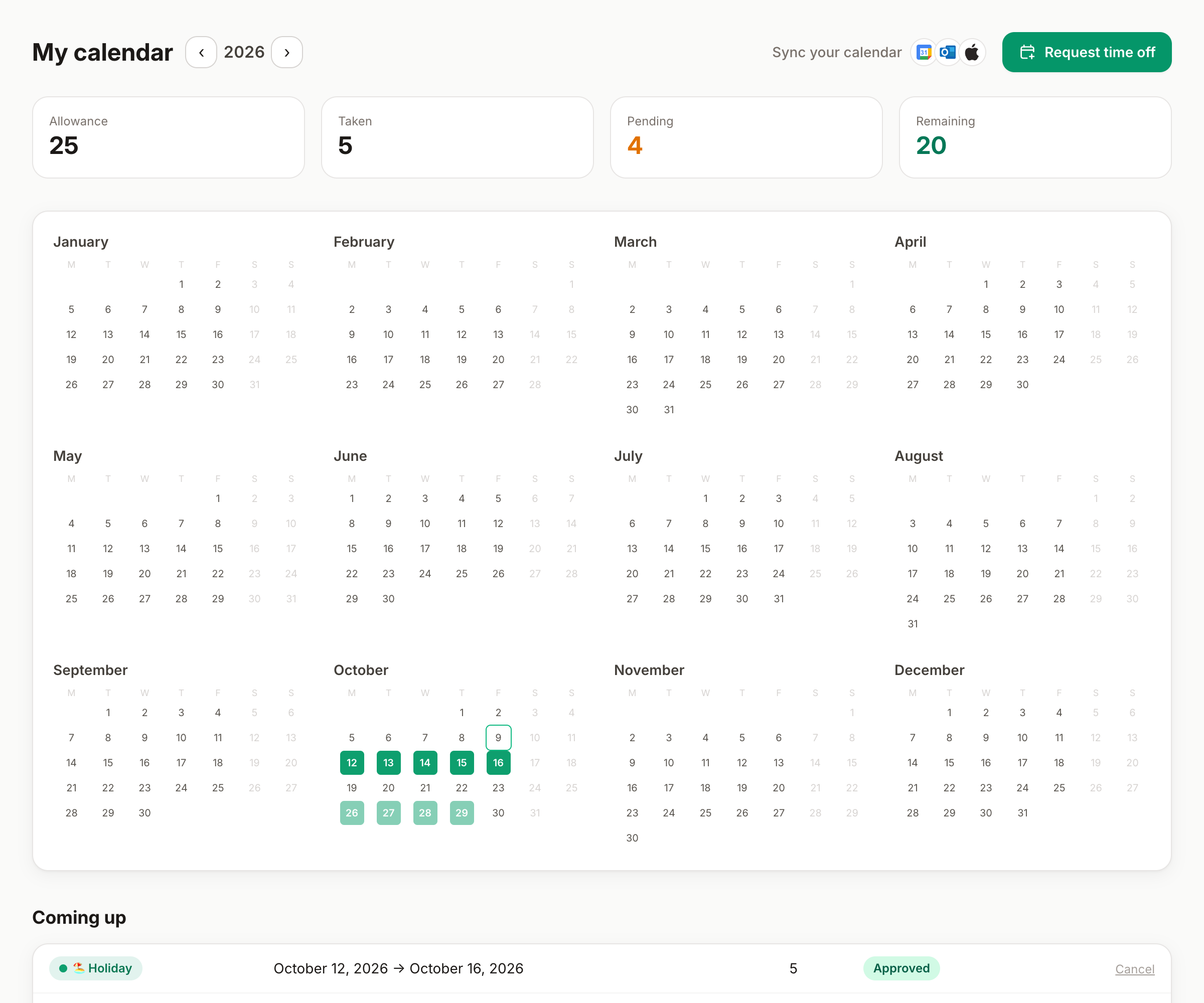
My calendar is your personal year at a glance: twelve months, your absences marked, your holidays shaded — plus tidy lists of what's coming and what's past. It's the page to open before planning the summer.
The year view
- Twelve mini-months with your absences in their type colors; pending requests show distinctly, so you can tell booked from confirmed.
- Your public holidays are shaded — following your personal holiday country if you have one.
- Switch years with the arrows: last year for reference, next year for dreaming.
Upcoming and past
Below the year, two lists: upcoming bookings (with type, dates, cost in days and status — and the cancel action where it applies) and past ones, your personal history. On the phone they stack as cards; same information, two thumbs.
Yours vs the team's
My calendar is you; the wall chart is everyone. Managers and admins can also open a teammate's personal calendar from their profile — useful in one-on-ones about leave plans.
Take it with you
The Sync your calendar button on this page is the gateway to seeing your leave in Google Calendar, Outlook or Apple Calendar — native push or iCal feed, explained in the calendar guide.
Good to know
- The year view is the fastest way to spot carried-days deadlines: if your carry-forward expires in March, a glance at Q1 tells you if you're using them in time.
- Free days book on click: the form opens with that date preselected — and clicking the right half of a day starts the request at lunchtime. Half-day absences show as half-filled squares.
- Clicking any absence opens its detail — the same modal as everywhere, timeline included.
Can't find what you're looking for?
Write to us: a human replies within 48 hours.
Contact us