See your leave in your calendar
Push approved leave to Google Calendar or Outlook, subscribe from Apple Calendar with iCal feeds, and share department calendars.
Your time off belongs in the calendar you check every day. Bueggio HR offers two ways to get it there: a native sync that pushes your approved leave straight into Google Calendar or Outlook, and subscription feeds (iCal) that work with any calendar app — including Apple Calendar — and can also show a whole department's absences.
Which one should I use?
| Native sync | Subscription feed | |
|---|---|---|
| Works with | Google Calendar, Outlook | Any calendar app (Google, Outlook, Apple…) |
| Shows | Your approved leave | Your leave — pending requests appear as tentative — or a whole department's |
| Updates | Instantly on approval and cancellation | When your calendar app refreshes the feed (Google: every 8–24 hours) |
| Setup | Sign in once with Google or Microsoft | One click, no sign-in |
If you live in Google Calendar or Outlook, connect the native sync — it's instant and maintenance-free. Use the feed if you're on Apple Calendar, want to see pending requests too, or want a team-wide calendar.
Connect Google Calendar or Outlook
- Open My calendar in Bueggio HR and click Sync your calendar.
- Click Connect next to Google Calendar or Outlook Calendar.
- Sign in and allow calendar access.
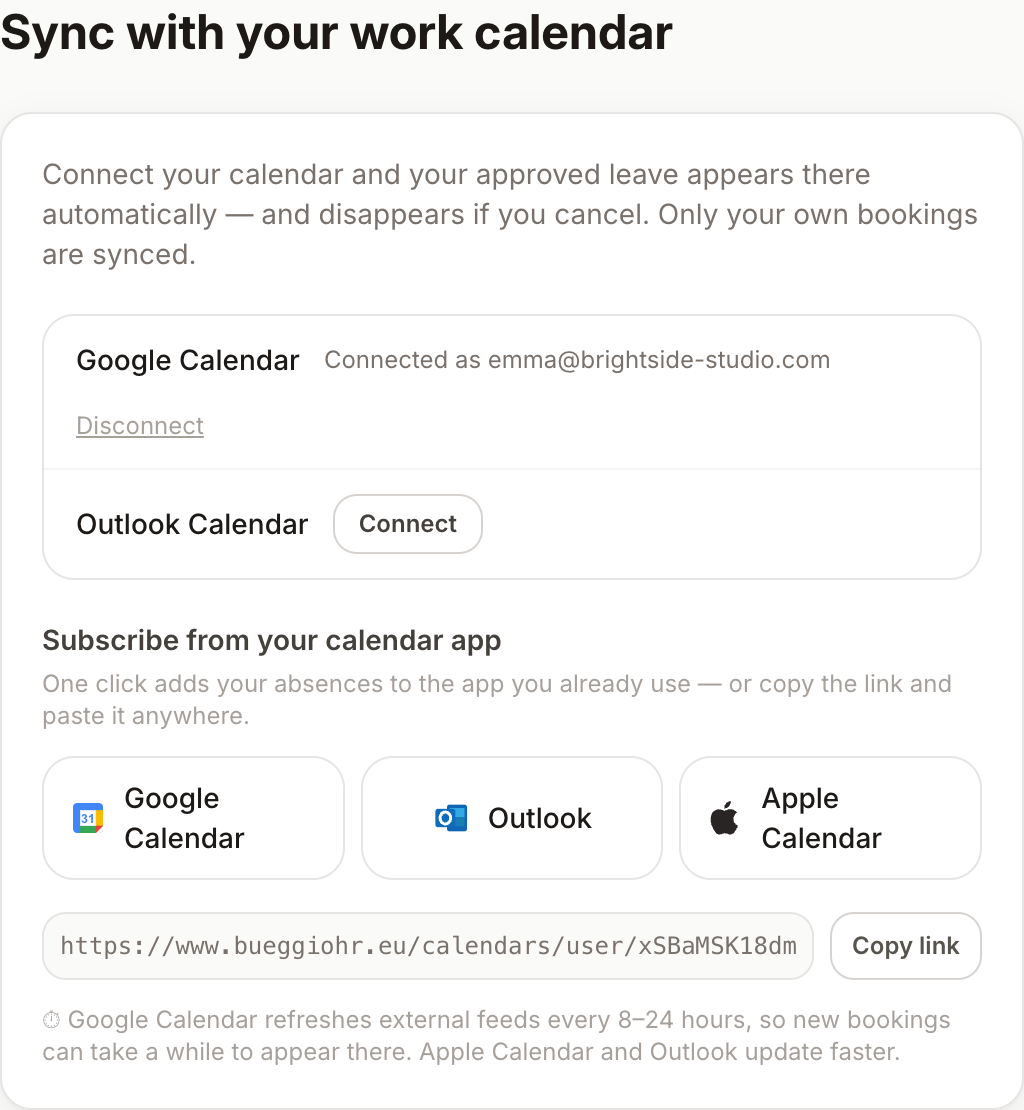
From then on, every approved absence appears in your calendar as an all-day event — bookings with a half-day start or end become timed events split at noon, so a "back after lunch" day doesn't block the whole morning — and your upcoming approved leave is added right away. If a booking is cancelled, its event disappears too. Only your own bookings are synced, and only once they're approved — pending requests stay out of your calendar until they're decided.
Events are titled with the leave type and the app name — for example "Holiday · Bueggio HR". Any note you wrote on the request stays private in Bueggio HR and is never copied to your calendar.
Disconnect
Same place: My calendar → Sync your calendar → Disconnect. Bueggio HR deletes its access to your calendar immediately. Events that were already created stay in your calendar — you can remove them by hand if you want them gone.
Subscribe with an iCal feed
Your personal feed lives in the same place — My calendar → Sync your calendar, under Subscribe from your calendar app:
- Use the one-click buttons for Google Calendar, Outlook or Apple Calendar, or
- copy the feed link and paste it into any app that accepts an iCal/ICS URL.
The feed contains your absences, with pending requests marked as tentative so you can tell them apart from approved leave. It's read-only: deleting an event in your calendar app doesn't cancel anything in Bueggio HR.
Google Calendar refreshes external feeds on its own schedule, roughly every 8–24 hours — new bookings can take a while to show up there. Apple Calendar and Outlook update faster. Need it instant? Use the native sync above.
Department feeds for team calendars
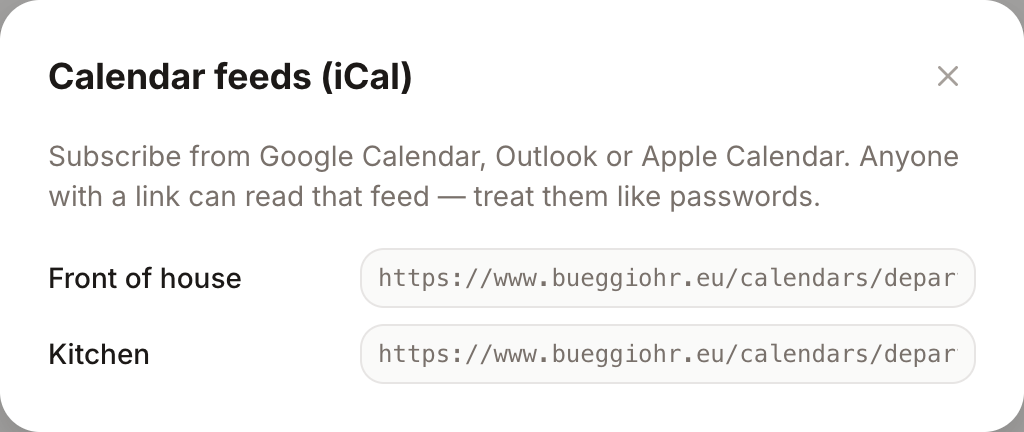
Admins get one feed URL per department in Settings → Integrations, under the calendar card. Subscribe a shared calendar to a department's feed and the whole team's absences show up in one place — handy for a manager's calendar or a screen in the office.
Privacy
- Calendar events carry only the leave type and dates — never the note on a request or any other detail.
- Feed URLs contain a long secret token: anyone with the link can read the feed's events, so treat it like a password and only paste it into calendar apps you trust.
- For the native sync, Bueggio HR stores the connection tokens encrypted, uses them only to create and remove your leave events, and deletes them the moment you disconnect.
Troubleshooting
- A booking isn't in my calendar — if it's still pending, that's expected: the native sync only pushes approved leave. On a feed, remember Google's refresh delay.
- I disconnected but old events are still there — that's by design; disconnecting stops the sync without touching your calendar. Delete leftover events by hand.
- The connection stopped working — disconnect and connect again from My calendar; this refreshes the authorization with Google or Microsoft.
Can't find what you're looking for?
Write to us: a human replies within 48 hours.
Contact us