Public holidays and company days
Import your national calendar in one click, add local and closure days, and give people abroad their own country's holidays.
Public holidays are days off that don't cost anyone a day of allowance: leave that spans them is counted without them, and the wall chart shades them for everyone. Settings → Holidays manages the calendar, one year at a time.
Import the national calendar
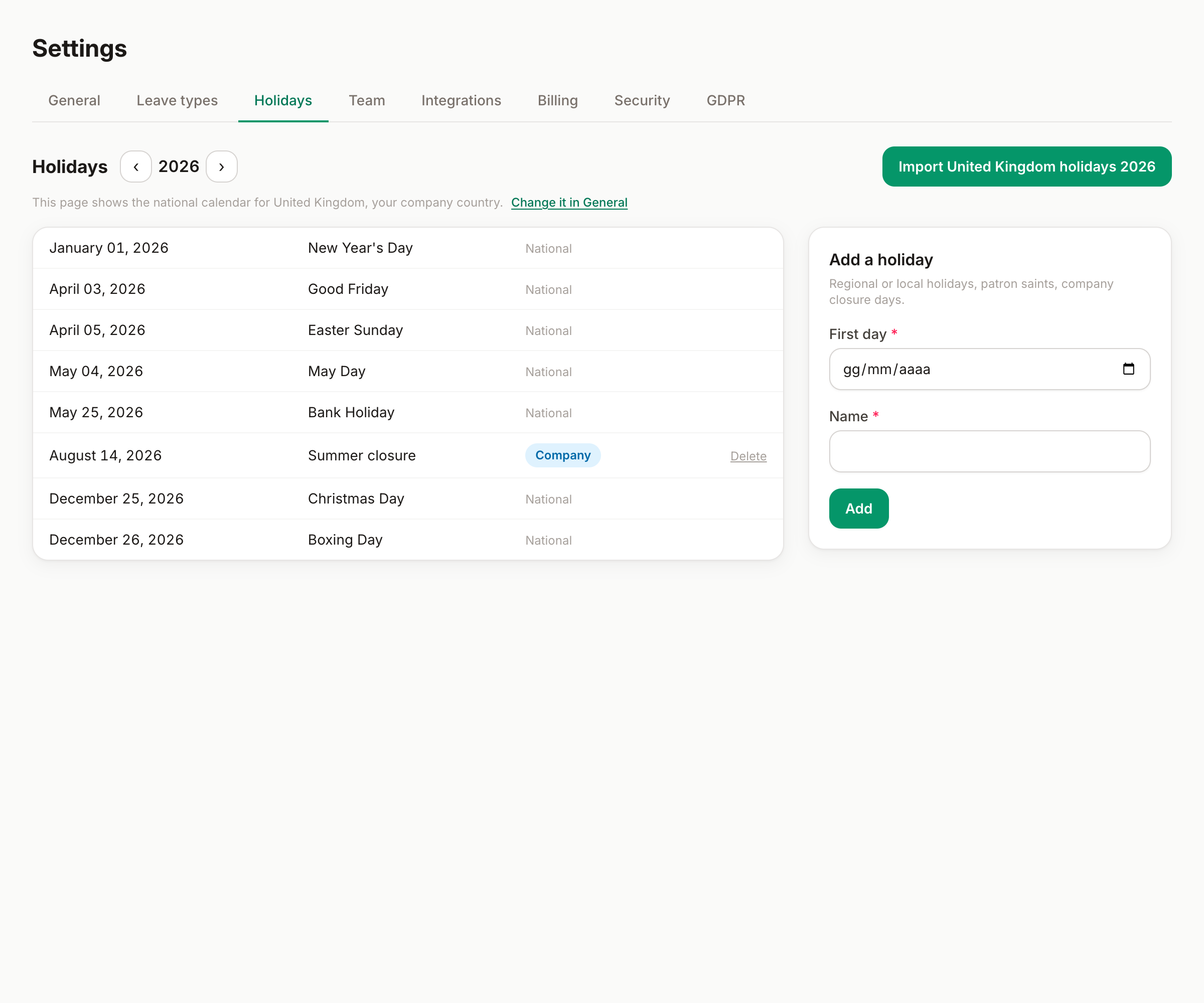
Pick the year with the arrows, then click Import holidays: the national calendar of your company's country lands in one click — imported rows show as national holiday. Import each new year when you're ready (a click in December is all the maintenance there is).
The button imports the country set in Settings → General; if your country has regional calendars (Spain's comunidades, for example), set your region there too and the import includes it.
Add company days
The form on the right adds your own days: local or patron-saint holidays, and company closure days (the August shutdown, the day after the party). They appear with a company holiday badge and behave exactly like national ones — no allowance deducted, shaded on the chart.
Company days are the only ones you can delete; national rows come and go with the import.
People in different countries
The organization calendar is the default for everyone, but each person can follow their own country's holidays — right for remote teammates abroad. Set it per person in Settings → Team (it's deliberately not self-serve); the wall chart and every allowance calculation then use that person's calendar. Around 47 countries are available.
Good to know
- A public holiday that falls inside someone's approved leave is not deducted — the engine recounts automatically, even if the holiday is added after the booking.
- Holidays on non-working days (a national day on a Sunday) simply don't count anywhere — no substitute day is invented unless the official calendar has one.
- Each year is managed separately: check the year switcher before wondering where the holidays went.
Can't find what you're looking for?
Write to us: a human replies within 48 hours.
Contact us