Company profile, working week and hours
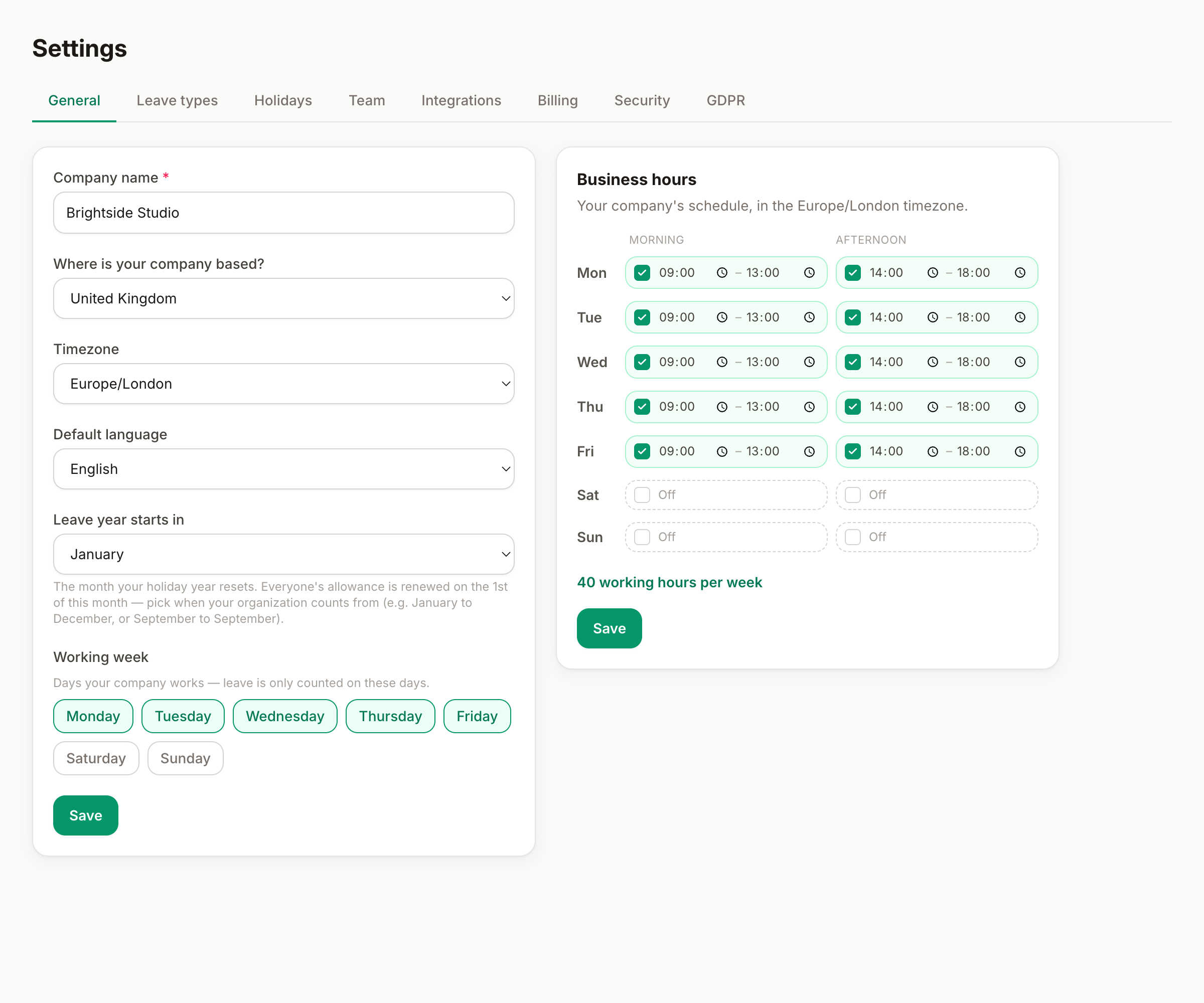
Name, country and timezone, the working days leave is counted on, and your business-hours schedule — the foundations everything else builds on.
Settings → General is where your organization's foundations live: who you are, where you are, and when you work. Ten minutes here at the start makes everything else — allowances, holidays, the wall chart — count correctly.
Company profile
- Company name — appears across the app and in emails to your team.
- Country — drives which national public-holiday calendar you can import and which country-specific leave rules apply (Italy's ROL hours, France's RTT, Spain's convenio extras…).
- Region — shown when your country has regional holiday calendars (for example Spain's comunidades): pick yours and regional holidays come along when you import.
- Timezone — the clock used for scheduled things: daily Slack summaries, digest emails, out-of-office reminders.
- Default language — what new teammates see until they pick their own (everyone can change theirs in their profile).
- Leave year starts in — the month your holiday year resets. Many companies count January to December, but plenty run September to September, April to April, and so on. Everyone's allowance renews on the 1st of the month you pick, and carried-over days are measured against it.
The working week
Tick the days your company works. This is more important than it looks: leave is only ever counted on working days. Someone booking Friday-to-Monday with a Monday–Friday working week uses 2 days, not 4 — weekends (and public holidays) are never deducted.
If your company works Saturdays, tick Saturday and it becomes a countable day for everyone. The working week is the company default; someone on a different pattern (part-time, four-day week) can get a personal working week from their card in Settings → Team. Country rules that count differently (like France's jours ouvrables) are handled automatically on top of it.
Business hours
Your company's schedule, day by day, with morning and afternoon shifts in your timezone. The weekly total updates as you edit. This is your reference schedule — useful to keep half-day bookings and hour-based balances honest.
Good to know
- Changing the country doesn't touch holidays you already imported — it changes what the next import brings. The Holidays tab always tells you which country's calendar it imports.
- People who follow a different country's holidays (a remote teammate abroad, say) can have their own personal holiday country — set it per person in Settings → Team.
- Keep the company week set to what most of the team works, and give the exceptions (part-timers) a personal working week from their person card instead.
Company logo
Upload your logo (PNG, JPG, WebP or SVG, up to 5 MB) and it appears on every org chart: in the sheet header and on the company card at the top of the tree. Tick Remove and save to take it off.
Can't find what you're looking for?
Write to us: a human replies within 48 hours.
Contact us